


How a Blink Reminder App Can Improve Your Eye Comfort
Blink Frequency and Blink Quality
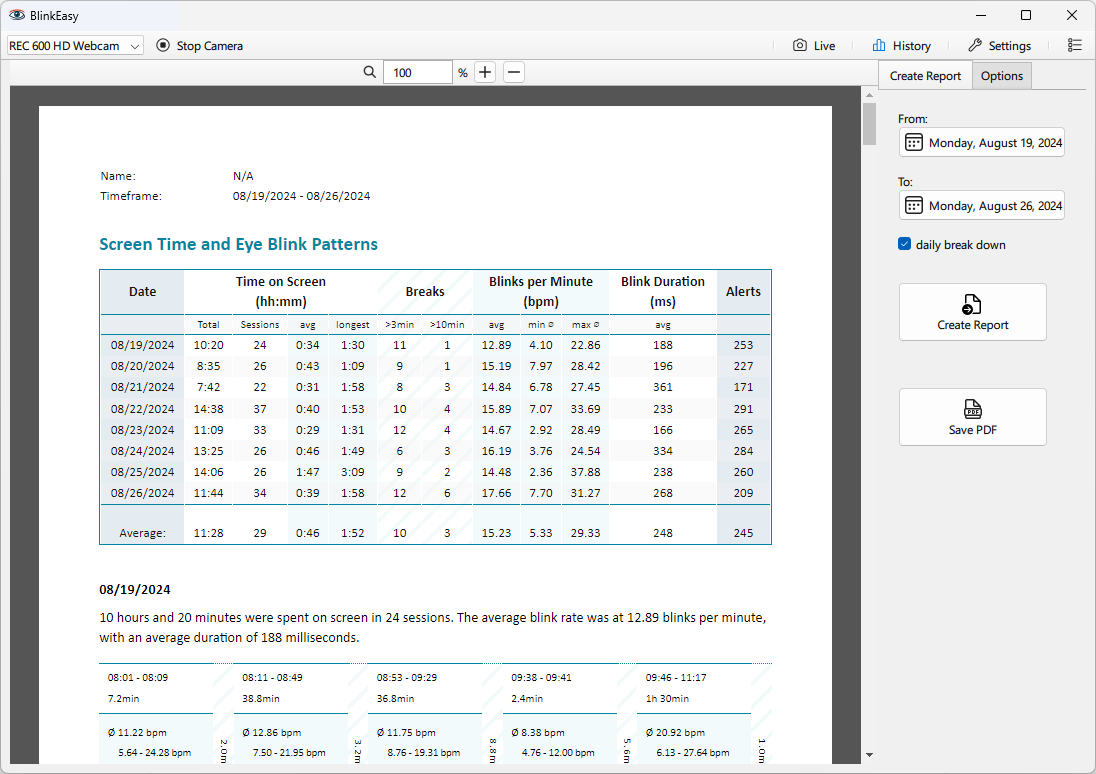
You might be surprised to learn that we typically blink 13 to 17 times per minute. Because blinking happens so quickly and mostly subconsciously, we rarely notice it.
During prolonged screen time, this rate decreases significantly to around 5 to 7 times per minute. Worse, not only does the frequency decrease, but so does the quality of our blinking. The number of incomplete blinks, in which the eyelids do not close completely, increases.
One of the primary functions of blinking is to keep the eyes moist and healthy. Every time we blink, a thin layer of tear film is spread evenly across the eye's surface.
Besides providing crucial lubrication and washing away debris or irritants that may settle on the eye, the tear film also transports nutrients and oxygen to the cornea. Since the cornea lacks blood vessels, the outer corneal cells rely mostly on oxygen diffusion from the air, which the tear film facilitates.
The oil in that film comes from glands along the edges of your eyelids, and it is the layer that keeps the rest from evaporating too quickly.
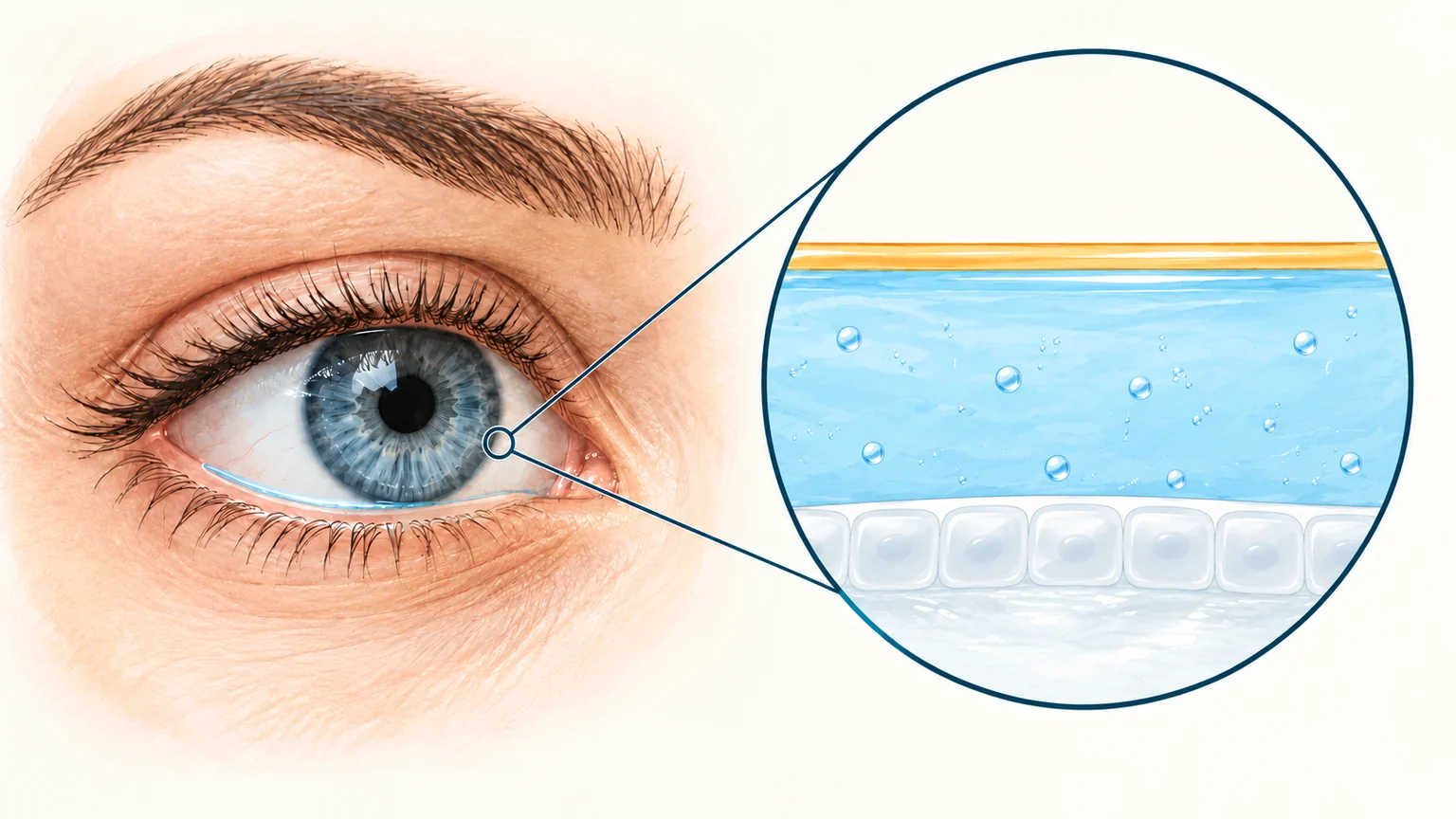
The tear film coats the cornea, the clear front surface of the eye. Its watery fluid keeps the surface moist, while mucus helps the tears spread and cling to it. A thin outer lipid (oil) layer slows evaporation.

Consequences of Infrequent Blinking
When we blink less frequently, the tear film is not replenished as often, leading to dry spots on the cornea. This can cause discomfort, blurry vision, and a sensation of grittiness or burning in the eyes. Chronic dryness can also lead to more serious issues like inflammation or damage to the corneal surface.
The oil layer suffers first. Because complete blinks are what renew it, long screen sessions full of partial blinks let it thin and break up, and tears evaporate through the gaps faster than they are replaced. This is evaporative dry eye, the form most closely tied to how you blink.
When you concentrate on a screen, you often blink less, which can worsen dry eye symptoms and eye strain. Long periods of screen use, especially when reading small text or working in a dimly lit room, can add to the discomfort.
Eye doctors refer to it as computer vision syndrome or digital eye strain. It groups together eye strain, dry eyes, irritation, and blurred vision. If you spend hours at a computer, these symptoms can make it hard to stay focused and get through the workday.
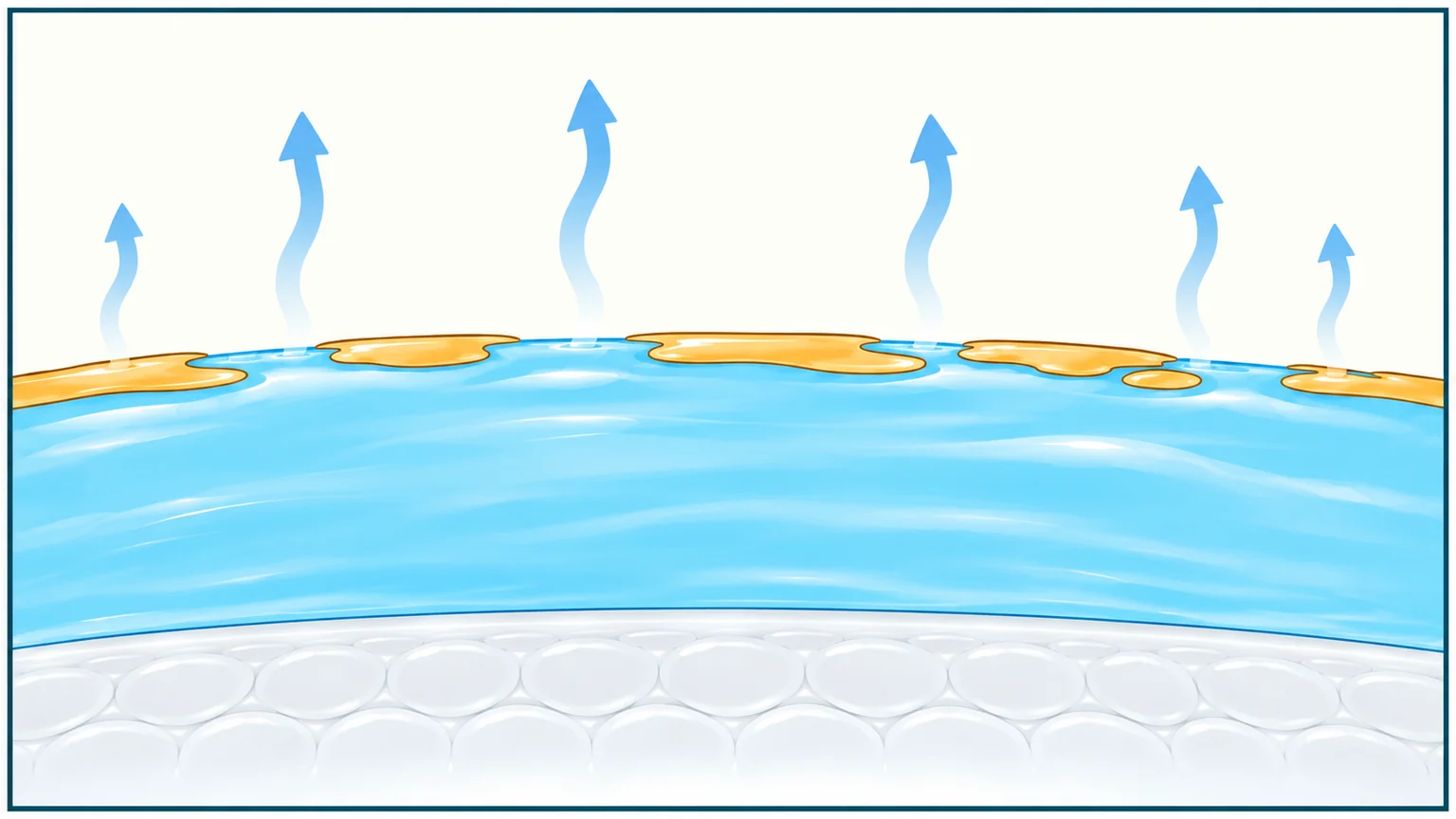
When the protective lipid (oil) layer breaks up, gaps allow watery tears to evaporate faster.

Importance of Regular Breaks
Looking into the distance gives the muscles that focus your eyes up close a chance to relax. Try the 20-20-20 rule: every 20 minutes, look at something about 20 feet (6 meters) away for 20 seconds.
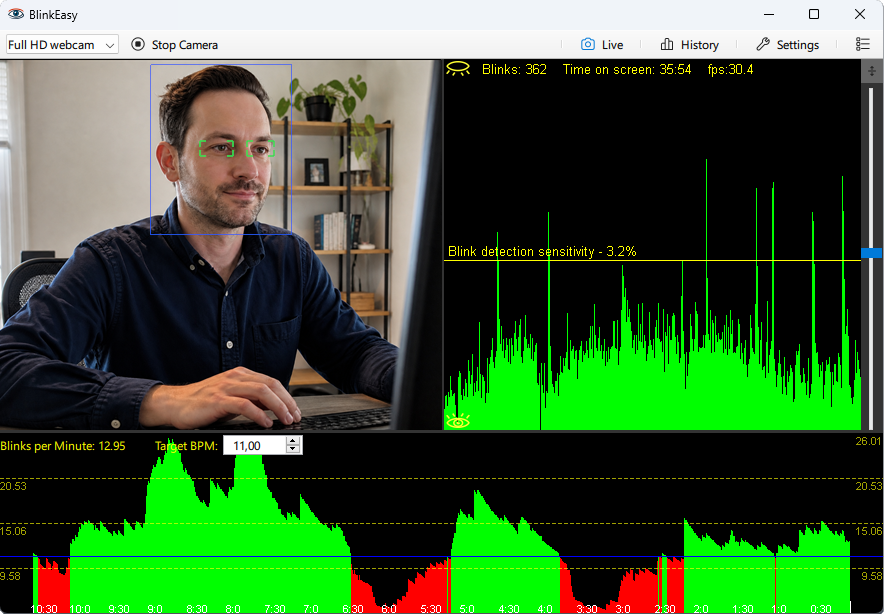
BlinkEasy can tell when you've been looking at the screen for too long and reminds you when it's time for a break. Use the pause to look into the distance and let your eye muscles relax before returning to your work.
Blinking and breaks come down to the same thing: attention. The moment work absorbs you, blinking slows and the clock disappears. BlinkEasy follows both for you and interrupts only when it's necessary, so a long session is less likely to leave your eyes feeling tired and dry.
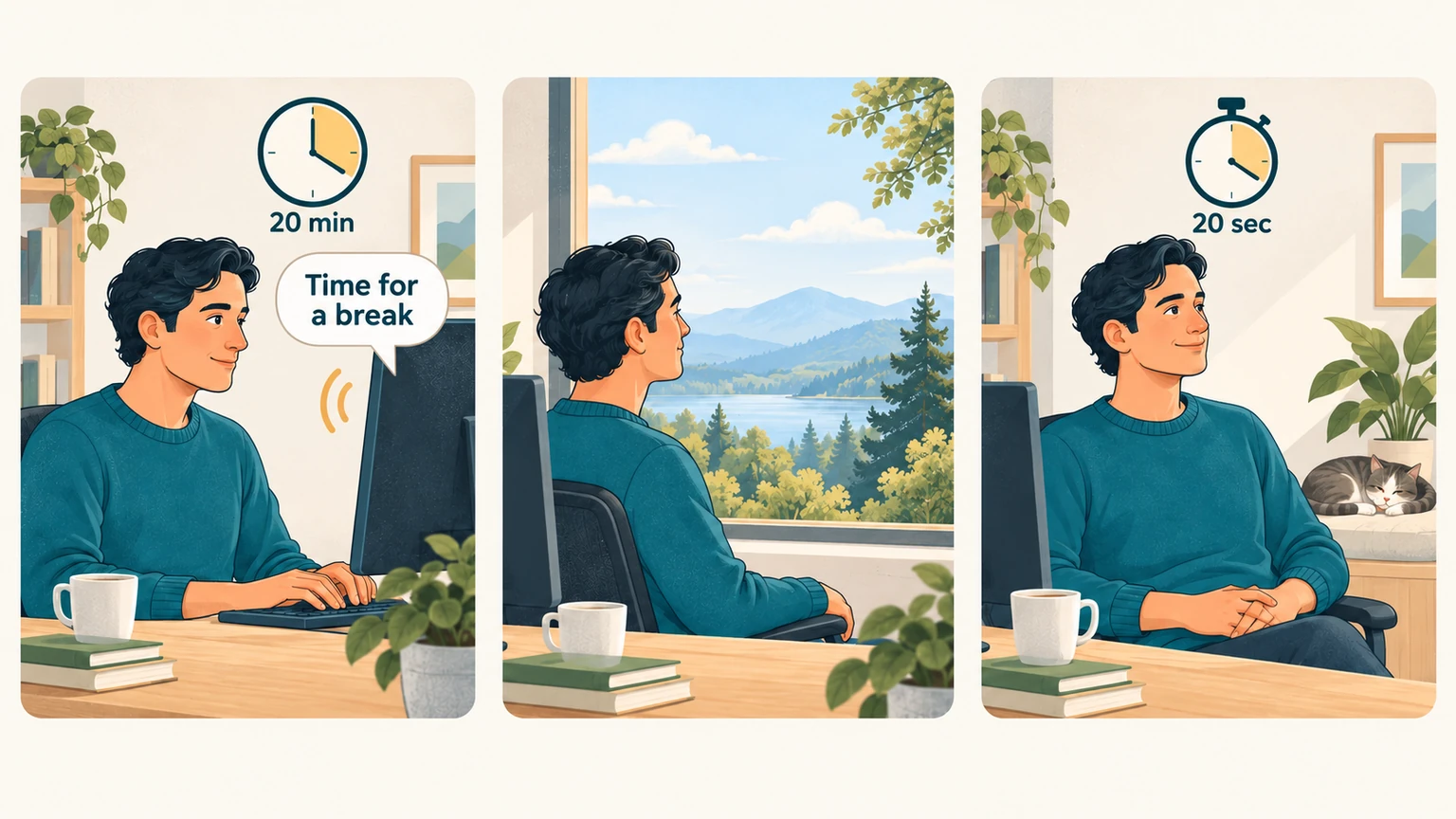
Every 20 minutes, look at something about 20 feet (6 meters) away for 20 seconds.