Everyday wellness
Pomodoro vs. Break Reminders: Which Fits Your Workflow?
Compare the Pomodoro Technique with computer break reminders and activity-based prompts, see where each fits, and borrow an example workflow for your workday.
Three ways to time a break
Pomodoro timers and break reminders get grouped together, but they answer different questions. The Pomodoro Technique structures your attention: it decides when you work. Break reminders protect your body: they decide when you pause. The practical difference between the three common approaches is the trigger:
- Scheduled focus sessions: you commit to a fixed work interval, such as 25 minutes, and the break is the reward at the end. The Pomodoro Technique is the best-known version.
- Recurring reminders: a timer fires at a fixed interval, such as every 20 or 60 minutes, while you work the way you always do. Classic computer break reminders and 20-20-20 timers work like this.
- Activity-based prompts: software watches signals from your actual work, such as how long you have been active without a pause or how your blinking changes, and prompts you when you show signs of needing a break.
None of these is simply better. They fit different workdays, and they combine well. The sections below look at what each one does well and where it gets in the way.
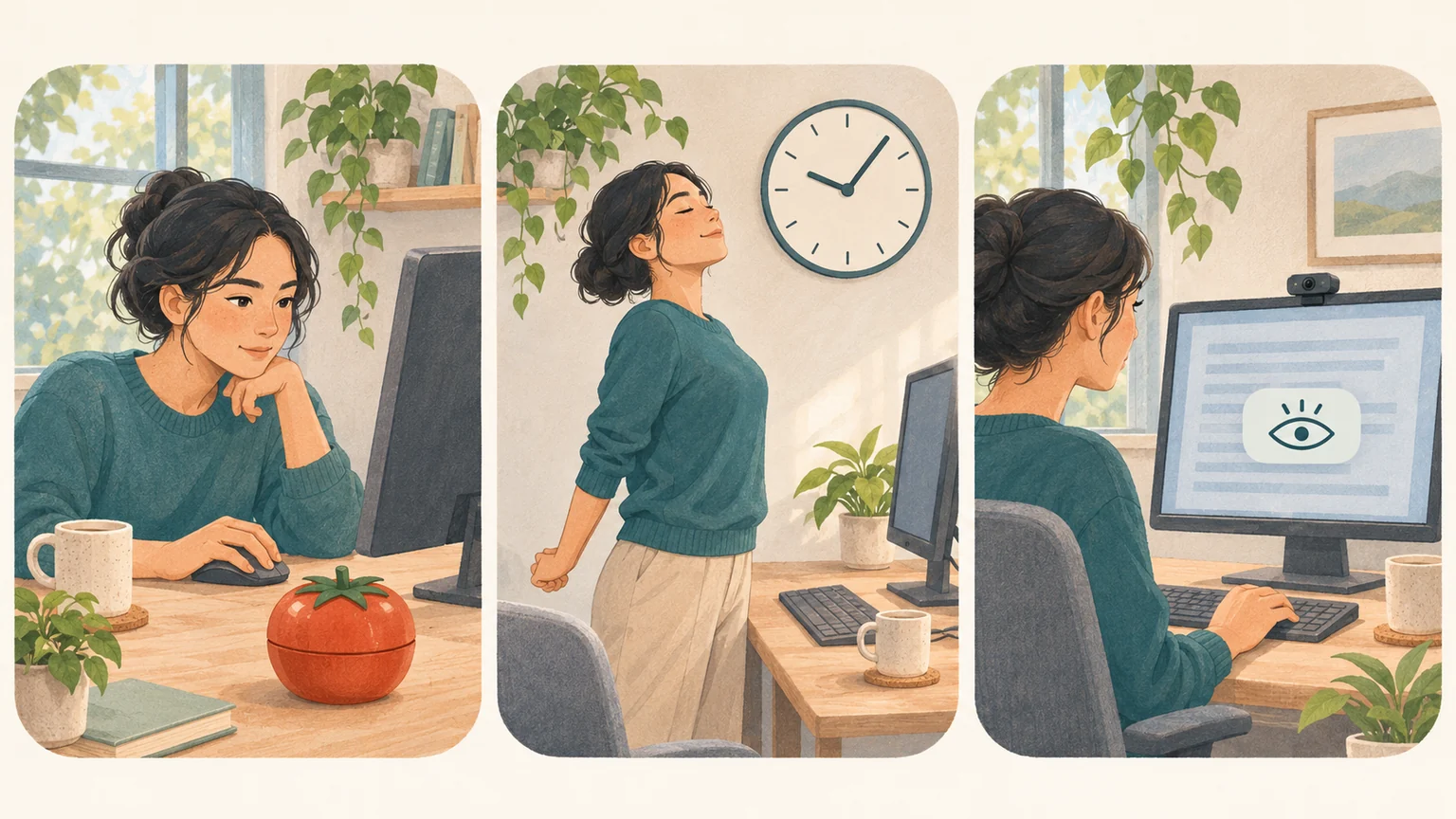
The Pomodoro Technique: focus first, breaks as structure
Francesco Cirillo developed the Pomodoro Technique in the late 1980s and named it after a tomato-shaped kitchen timer. The classic rhythm: pick one task, set a timer for 25 minutes, and work on nothing else until it rings. Take a short break of about 5 minutes, then start the next pomodoro. After four of them, take a longer break of 15 to 30 minutes. Learn the full method on the official Pomodoro Technique site.
The timer is doing psychological work. A 25-minute commitment makes a dreaded task startable, gives you a polite reason to defer interruptions (most things can wait until the bell), and teaches you over time how many pomodoros a piece of work really takes.
The weak spot is that the schedule outranks everything else. The bell interrupts you in full flow just as readily as it rescues you from procrastination, meeting-heavy days leave no room for clean 25-minute blocks, and your eyes and back do not know the plan: on a hard task you can sit nearly frozen, barely blinking, well before minute 25.
Recurring break reminders: health on an interval
A recurring reminder runs underneath your normal work. You do not plan your day around it; every 20, 30, or 60 minutes it surfaces briefly and asks for one small action: look into the distance, blink fully, stand up, roll your shoulders.
The best-known example is the 20-20-20 rule: every 20 minutes, look at something about 20 feet (6 meters) away for 20 seconds. The American Optometric Association recommends distance breaks like this during screen use. See the AOA guidance on screen breaks. See how the 20-20-20 rule works in practice.
Interval reminders are easy to adopt because nothing about your workflow changes, and they keep firing on days when no plan survives contact with your calendar. Their weakness is the flip side: the interval knows nothing about you. It fires during video calls and in mid-sentence, and once dismissing a badly timed reminder becomes a reflex, the habit quietly dies.
Activity-based prompts: react to what you are doing
The third approach drops the fixed clock and instead watches for signs that you need a pause. That can be as simple as measuring how long you have worked without a natural pause, or holding a reminder back until you finish typing so it never lands mid-sentence.
It can also follow your body. BlinkEasy uses your webcam to watch your blink rate while you work: concentration makes you blink less often and less completely, which is one reason eyes can feel dry after a focused session. When your blinking drops off, the reminder arrives in the moment it is needed instead of at an arbitrary minute mark. Learn why you forget to blink when you concentrate.
Prompts timed to need interrupt less and get dismissed less, which is exactly what a habit needs to survive. The trade-offs: a prompt that reads your blinking needs permission to use the webcam, activity detection needs to see keyboard or mouse activity, and people who love predictable structure may miss the clean rhythm of a schedule.
Which approach fits your workflow?
Start from the problem you are actually trying to solve:
- You put off starting, or drift to other tabs once you do: use the Pomodoro Technique. The commitment and the visible countdown are the point.
- You want healthier screen habits without changing how you work: use recurring reminders, starting with one modest interval rather than five ambitious ones.
- You fall into long, deep sessions and only notice your eyes and shoulders afterward: use activity-based prompts, which catch exactly those sessions.
- Your day is ruled by meetings: skip strict pomodoros and lean on reminders. Between calls, even a 20-second distance break counts.
If you are torn, remember that the approaches answer different questions, so this is rarely an either-or choice. A focus method and a health reminder run side by side without competing.
Example workflows to borrow
- Deep-work writing days: run classic pomodoros, 25 minutes on and 5 off, and let a blink reminder run underneath, because focused reading and writing are exactly when blinking collapses. In the 5-minute break, look out a window instead of at your phone; a phone keeps your eyes at the same short focusing distance as the screen.
- Meeting-heavy days: drop the pomodoros and keep one gentle recurring reminder at 45 or 60 minutes for standing up and looking into the distance, plus activity-based prompts during the document work between calls. Snooze reminders during video calls rather than disabling them.
- Long coding, design, or gaming sessions: rely on activity-based prompts to catch the sessions you do not notice, anchor one real break to something fixed such as lunch away from your desk, and save pomodoros for the chores you avoid, such as expense reports or an email backlog.
The pattern in all three: one system manages your attention, another quietly guards your body, and neither has to do the other's job.
Make whichever you choose stick
- Start with less than you think you need. One reminder you respect beats four you dismiss.
- Decide in advance what a break looks like: look 6 meters away, blink fully a few times, stand up, drink some water. A break with no content gets skipped.
- Snooze instead of disabling. A snoozed reminder comes back; a disabled one is gone for the month.
- Review after a week. Move an interval that keeps landing badly instead of abandoning the whole system.
Whichever trigger you choose, treat the first week as a trial: the goal is a rhythm you can keep on a busy day, not a perfect one you abandon by Thursday. Build on it with a simple screen-break routine.