Screen ergonomics
How to Reduce Screen Glare: Lighting for Computer Work
Make the most of daylight, position your desk lamp, and adjust monitor brightness for more comfortable computer use. Find and reduce glare at your desk.
Find the source of glare
A window reflected in your monitor or a lamp shining toward your face can make an otherwise good desk setup awkward to use. Start by sitting in your usual working position and opening a document you read often. Notice any bright patches that get in the way of the text.
Glare can come directly from a bright window or exposed bulb, or indirectly from a reflection on your screen or desk. Try switching off one lamp or adjusting one blind at a time to find the source. Check from your chair: a reflection that disappears when you stand up may still be there when you sit down. See CCOHS guidance on finding and reducing glare.
Keep daylight to the side of your screen
Where possible, arrange the desk so the window is beside you, with the screen at a right angle to it. A window behind you can appear as a reflection on the display; one directly behind the monitor can leave a bright background in your line of sight. Use blinds or curtains to control direct sunlight. Read OSHA guidance on windows and workstation lighting.
If the desk cannot move, try changing the screen angle or the blind position. Keep the display comfortably in front of you as you adjust it. Recheck in the afternoon, when sunlight may reach a different part of the room.
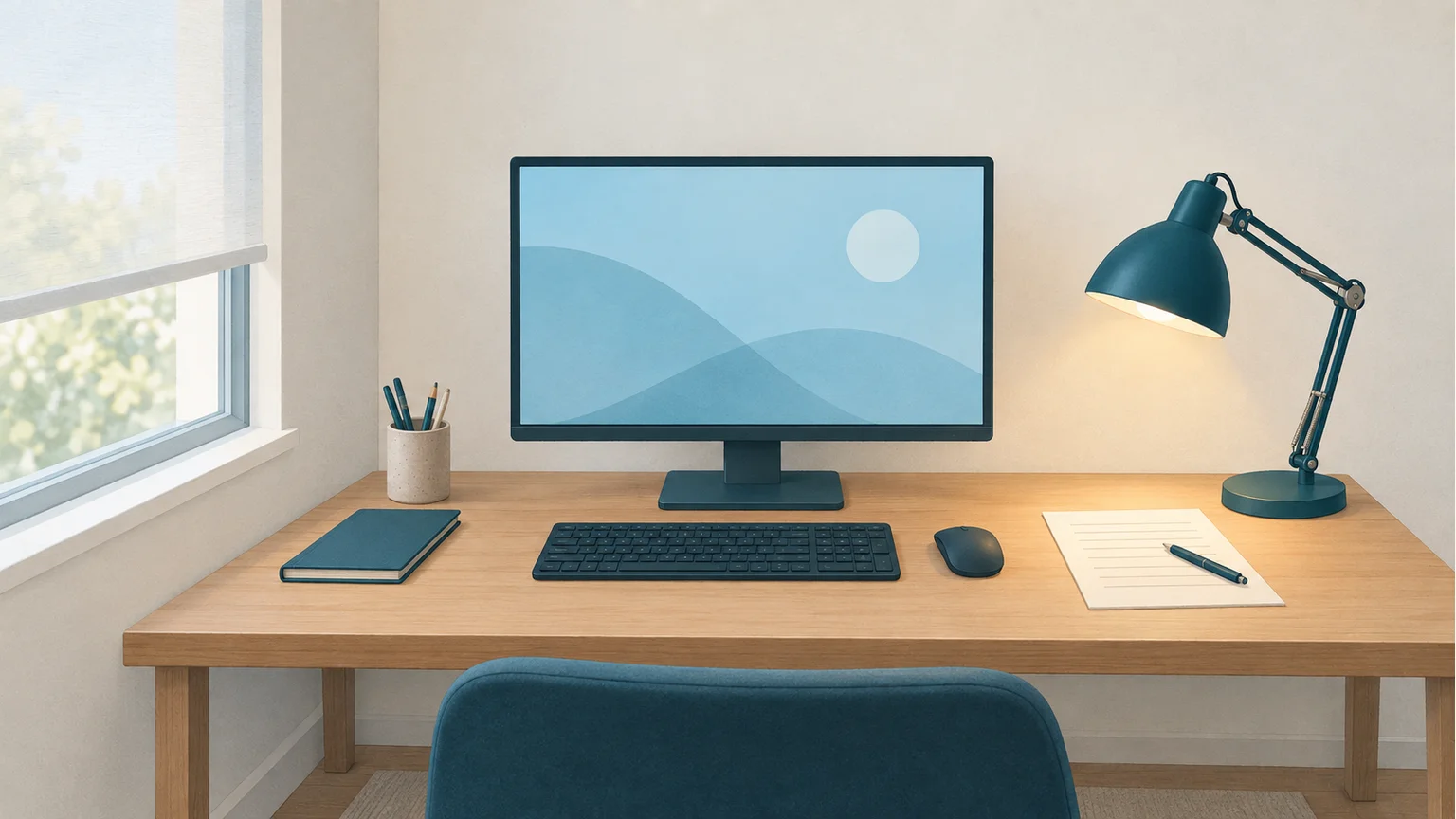
Keep daylight to the side and direct desk lighting onto your work without reflecting it on the screen.
Aim your desk lamp at the work beside the screen
Room lighting illuminates the wider space, while a desk lamp adds light where you need it for paper notes or other nearby work. An adjustable lamp lets you brighten that area without turning up every light in the room. Learn about general lighting and task lighting.
Position the lamp so its shade keeps the bulb out of your direct view and its light falls on the desk without reflecting on the monitor. Test it while reading and writing, including with your hand on the page. If you are choosing a lamp, look for an adjustable position and light you can direct where it is needed. See the lighting section of the OSHA purchasing guide.
Adjust the screen to the room lighting
Once the lights and blinds are set, adjust monitor brightness and contrast until your usual text is comfortable to read. If the display looks glaringly bright, lower its brightness; if the text looks washed out, check for reflections before turning it up. With two displays, check both from your normal seat. Read CCOHS guidance on lighting and monitor settings.
Check the arrangement again when daylight fades. Turn on room lighting as needed, then revisit the monitor setting. You may prefer different settings for daytime work and evening use; keep the controls easy to reach so a change takes only a moment.
Notice lighting changes with BlinkEasy
BlinkEasy can give you a useful nudge to review your lighting. As a room gets darker, some webcams lower their frame rate to capture more light, and a dim image can make it harder to detect faces and eyes. If you notice the frame rate falling or BlinkEasy losing track of your face and eyes as daylight fades, use that feedback as a reminder to check the room lighting. Test your webcam's frame rate in your browser.
Try turning on a room light or adding soft, even light to your face, while keeping bright lamps out of your direct view and avoiding screen reflections. Then check the camera preview, frame rate, and detection again. An improvement gives you a practical clue that lighting was part of the problem, and a reason to check that your screen and paper notes are comfortable to read, too. See our camera setup guide for lighting tips.
Check the finished setup
- Are windows and exposed bulbs out of my direct line of sight?
- Can I read the display without a reflection covering the text?
- Is there enough light to read my paper notes?
- Is the desk lamp positioned so it does not reflect on the screen?
- Is the screen brightness comfortable with the room lights on?
Try the arrangement with a few minutes of your normal work, and keep the adjustments that make reading and writing easier. For screen height, viewing distance, and the rest of the desk setup, continue with our ergonomics checklist. Review your full desk setup.