Screen comfort
Computer Vision Syndrome (Digital Eye Strain): Causes and What Helps
Computer vision syndrome can involve dry eyes, blur, headaches, and neck tension. Learn why screen work feels uncomfortable and what can help.
What computer vision syndrome means
Computer vision syndrome (CVS), also called digital eye strain, describes a group of complaints associated with extended use of computers, phones, tablets, and other digital screens. It is a useful name for a pattern of discomfort, not a single eye disease with one cause. The American Optometric Association (AOA) includes eye strain, headaches, blurred vision, dry eyes, and neck or shoulder pain among the common complaints. Read the AOA overview of computer vision syndrome.
Those complaints do not all come from the same place. Burning or gritty eyes can involve the tear film. Blur or difficulty refocusing can involve the visual demands of close work or an unsuitable glasses prescription. Neck discomfort may come from leaning toward a screen or holding the head at an awkward angle. More than one factor can be present on the same workday, and symptoms alone cannot tell you which one is responsible.
Dry eye and CVS overlap, but they are not interchangeable terms. Dry eye concerns the tear film and eye surface; digital eye strain covers a wider range of eye, vision, and body complaints during screen use. See our dry eye and eye strain comparison.
Gaming can bring the same screen-related complaints into a different routine. Our gaming guide covers breaks that fit different games and reminders during play. Read about gaming eye strain.
Why screen work can feel uncomfortable
Focused screen work combines several demands at once. The illustration shows three common pathways; it does not imply that every person has all three.
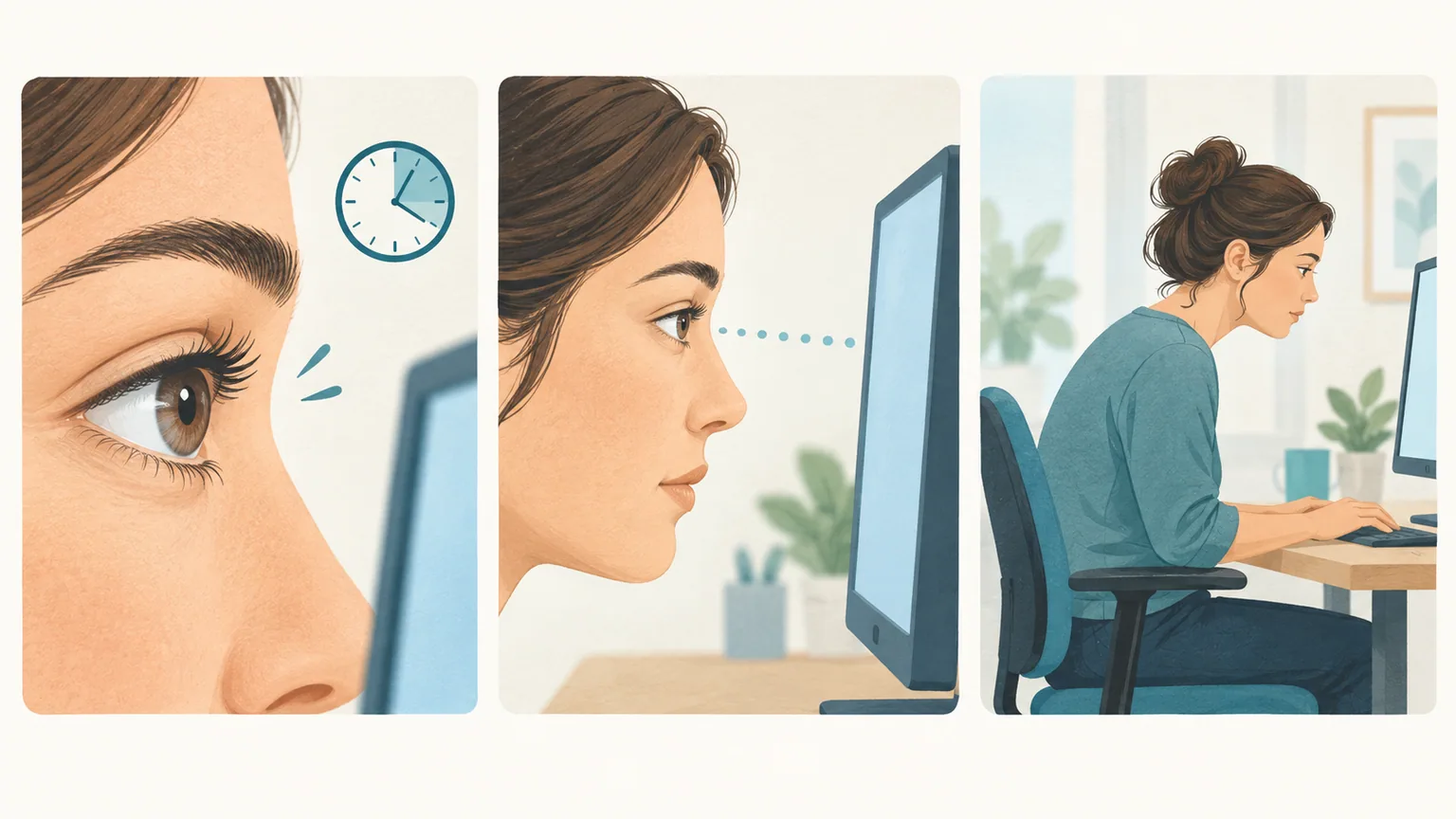
- Blinking and tears
- Close focus
- Posture and setup
Digital eye strain can involve the eye surface, the demands of close focus, and the way the workstation fits the person.
Blinking and the tear film
Each complete blink spreads a fresh tear film across the eye. That film helps keep the surface smooth, comfortable, and clear enough for light to focus well. When blinks are infrequent or the eyelids do not close fully, part of the surface may stay exposed longer between blinks. Dry air and airflow toward the face can add to the problem. See how the National Eye Institute explains tears and blinking.
Close focus and visual clarity
Reading a nearby display keeps the eyes focused at a short distance and working together on small details. Tiny text, a screen too far away to read comfortably, reflections, or a glasses prescription that does not suit the actual working distance can make the task harder. The AOA notes that farsightedness, astigmatism, age-related changes in near vision, and problems with focusing or eye coordination can contribute. Paper reading is near work too: discomfort is not necessarily caused by the screen itself. See the AOA discussion of visual demands and prescriptions.
The desk and the rest of your body
A bright window reflected in the display, a monitor placed too high, or small text that draws you forward can change how you sit. The resulting neck and shoulder tension can be part of the same screen-work complaint. A major Tear Film & Ocular Surface Society report also describes digital eye strain as multifactorial, with task demands, viewing conditions, blinking, and the eye surface all worth considering. Read the TFOS digital-environment report.
What can add to the strain
A screen session may feel different from one day to the next. Long stretches without a change in viewing distance, demanding reading, contact lens wear, dry room air, or a fan blowing across the face can change comfort. Existing dry eye and a prescription that is not well matched to computer distance may also matter. This is why a single blink-rate number or a screen-time total cannot explain every symptom. See the National Eye Institute overview of dry eye.
For example, a study of 171 office workers compared contact lens users and nonusers across different amounts of computer work. Contact lens wearers who spent at least four hours a day at a display had more symptoms than the comparison groups. Researchers also measured a lower tear meniscus height, which describes the tear strip along the lower eyelid. The groups were observed rather than randomly assigned, so the study shows an association, not that computer time alone caused the difference. Read the office-worker study.
Notice when discomfort starts, which task you were doing, whether it eases after leaving the screen, and whether the same thing happens with paper or other near work. Those details are more useful than assuming every headache or episode of blur has the same cause.
Make screen work easier
Choose the adjustment that fits the problem you actually notice. The AOA offers these screen-placement and break suggestions as starting points, not rigid measurements that everyone must use. Review the AOA workspace guidance.
- Make text readable without leaning forward. Increase document or browser zoom, and check the apps you use most rather than adjusting only one webpage.
- Place the main monitor at a comfortable distance, roughly 20 to 28 inches from your eyes for many desktop setups. A slightly downward gaze toward the screen center is usually more comfortable than looking upward. Adjust the chair, screen, and text size together.
- Reduce reflections and harsh contrast. Move the display or change the lighting so a window or lamp is not reflected directly in it; set screen brightness to suit the room.
- Change visual distance during the day. Look away from close work, let yourself blink gently and completely, and give your shoulders a chance to relax. A break does not need to be a phone break.
- Check the room. Redirect a fan or vent that blows toward your eyes. If you wear contacts or have recurring dryness, bring those details to your eye-care visit.
Our screen ergonomics guide shows how to review monitor position, readable text, lighting, and posture at your own desk. Review your screen setup.
Why the AOA recommends the 20-20-20 rule
The American Optometric Association recommends the 20-20-20 rule: every 20 minutes of screen use, look at something about 20 feet away for 20 seconds. Looking into the distance gives your eyes a chance to refocus after close work. The pause is also a reminder to blink, which helps keep the eye surface moist. It is a simple way to interrupt a long stretch at the screen. Read the AOA's advice on breaks and blinking. Explore our 20-20-20 guide.
How BlinkEasy can help
BlinkEasy helps you remember two habits that are easy to lose during focused work: blinking comfortably and looking away from the screen. Using your webcam, it shows your blink rate in real time and can remind you to blink when your rate falls below a target you choose. Each prompt is a chance to pause and let your eyelids close gently and fully.
Set screen-break reminders to make distance breaks part of your day, including the 20-20-20 pause described above. BlinkEasy’s daily reports show your blink rate, screen time, and breaks, so you can notice patterns and adjust your reminders to suit the way you work. Explore BlinkEasy.
Get a comprehensive eye exam
We recommend a comprehensive eye exam as part of your screen-comfort plan. Tell your eye doctor about your usual screen distance and what you notice during computer work. An exam can check whether your prescription suits that distance and how well your eyes focus and work together. See how the AOA evaluates computer vision syndrome.
Your eye doctor can also check whether dry eye is contributing to discomfort and recommend care based on the findings. See how the National Eye Institute explains dry-eye testing.

Discuss the glasses you use and your usual screen distance during a comprehensive eye exam.